ServicesProjects
Delivery work with a budget and a record of time spent.
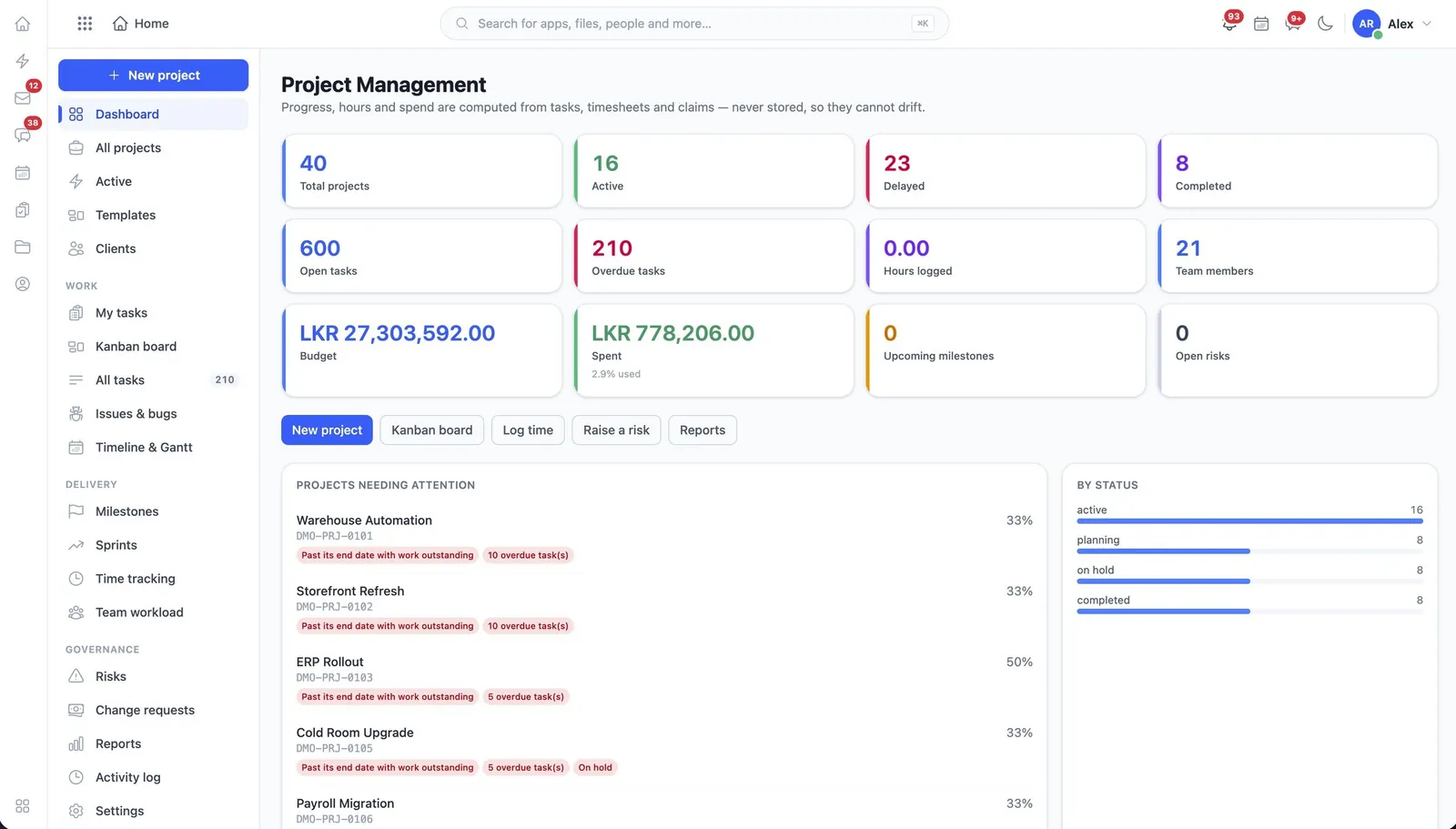
Projects is delivery work that has a budget and a record of the time spent against it. Tasks, logged time, budget and change requests all hang off the project, which is what lets you answer whether a job made money.
Read the user guide project
What it does
Projects, in the product’s own words
- Projects created and managed
- Tasks created and assigned within them
- Time logged and approved
- Budgets managed per project
- Change requests approved
Before you start
What has to be in place
- A decision on who approves time. Unapproved time is not cost, and a project without cost is not a budget.
- The customer or account the project is for, so the work can be traced back to the sale.
In the user guide
5 tasks, explained
- 01Create and manage a project
- 02Create and assign tasks within it
- 03Log and approve time
- 04Manage the budget
- 05Approve change requests
Works with
The same records, not a sync
TasksThe to-do side of the work, inside a project or standing alone.InvoicingInvoices, payments and the money owed.CRMLeads, accounts, deals and quotes, with a price list behind them.ExpensesWhat staff spend, what it is charged to, and who agreed to it.CalendarOne diary for the meetings, the tasks and the events.
Industries that start with it
Switched on from day one
More in Services
All of ServicesTasksThe to-do side of the work, inside a project or standing alone.AMC & ServiceAnnual maintenance contracts, the equipment they cover and the visits they entitle.HelpdeskTickets from customers, and the knowledge base that answers them.AppointmentsBooked time with a provider, a room and a service — through to checkout.