Skip to content
worksuiteWorkSuite

Product · All apps

Nine categories,
one database

42 apps that share the same records. Every one can be switched on or off like an app store — and each declares what it depends on, so the suite refuses an arrangement that would leave a gap.

42apps
9categories
1database
Category 01 · 6 apps

Sales

From the first enquiry to a confirmed order — at the desk, at the counter or on a plan.

Explore Sales
CRM
Leads, accounts, deals and quotes, with a price list behind them.
Orders
Order management across every channel you sell on — the largest module in the suite.
Point of Sale
A counter application with its own tills, registers and cash drawers.
Subscriptions
Customers on a plan rather than a one-off sale.
Contacts
The people behind the companies you deal with.
Tenders
Bidding work: the pipeline, the documents and who approved the submission.
Category 02 · 3 apps

Finance

Double-entry bookkeeping underneath the trading, rather than a reporting layer bolted on top.

Explore Finance
Accounting
The books: chart of accounts, journals, periods, reconciliation and reporting — 24 distinct permissions.
Invoicing
Invoices, payments and the money owed.
Expenses
What staff spend, what it is charged to, and who agreed to it.
Category 03 · 2 apps

Supply Chain

Stock, purchasing and the equipment the company owns.

Explore Supply Chain
Inventory
Products, warehouses and what is actually on the shelf.
Assets
What the company owns, who has it, and what it is now worth.
Category 04 · 3 apps

Human Resources

Employment records, attendance, leave and pay — with the sensitive parts fenced off by permissions of their own.

Explore Human Resources
Employees
The employment record, from onboarding to attendance — 26 permissions, the most finely divided module in the suite.
Payroll
Salaries calculated from rules, not typed in.
Directory
The shape of the organization itself.
Category 05 · 5 apps

Services

Delivery work, service contracts, bookings and the support that follows a sale.

Explore Services
Projects
Delivery work with a budget and a record of time spent.
Tasks
The to-do side of the work, inside a project or standing alone.
AMC & Service
Annual maintenance contracts, the equipment they cover and the visits they entitle.
Helpdesk
Tickets from customers, and the knowledge base that answers them.
Appointments
Booked time with a provider, a room and a service — through to checkout.
Category 06 · 4 apps

Websites

The public face of the business, and the hosting behind it.

Explore Websites
Website
The public-facing site, edited by the same people.
Forms
Ask for information and keep the answers.
Live Chat
Website-visitor chat, answered from the same inbox as internal chat.
Hosting & Domains
For businesses that resell or administer hosting.
Category 07 · 6 apps

Communication

Mail, chat, calls and meetings in the same application as the work they are about.

Explore Communication
Mail
Real mailboxes, not a notification log.
Chat
Internal conversations, channels and direct messages.
Meetings & Calendar
The meeting as a business record, and the diary it appears in.
WhatsApp
A shared WhatsApp inbox attached to the customer record.
Telephony
Extensions and a PBX, with the call record kept.
Notes & Social
Short-form writing, and what the company is telling itself.
Category 08 · 5 apps

Productivity

Files, paperwork, drawings and an assistant — kept with everything else.

Explore Productivity
Drive
File storage with sharing that is actually enforced — 15 permissions.
Documents & Office
Templates that produce paperwork, and editing in the browser.
Diagrams
Whiteboards and drawings kept with everything else.
AI Assistant
Assistants trained on your own material.
Sharing
One set of rules for getting a record out of the system.
Category 09 · 8 apps

Administration

The parts that serve every other app — access, insight, storage and integration.

Explore Administration
Users & Roles
Who may sign in, and what they may do once they have.
Security
The settings that decide how hard the front door is.
Dashboard & Analytics
What is happening, and what happened.
Search
One search box across the suite.
Storage & Uploads
Where files physically live.
API & Integrations
Letting other systems in, deliberately.
Document utilities
Small tools the rest of the suite leans on.
Notifications
Always on, never a screen of their own.

Underneath it all

Built in, whichever apps you switch on

  • Built-in business email server
  • TeamChat
  • Documents
  • Files & Drive
  • Conferences
  • Calendar
  • Backup management
  • Google Drive, OneDrive & Microsoft 365
  • WhatsApp Business
  • Telephony & PBX
  • AI Assistant
  • Multi-company
  • Roles & security
  • Dashboard
  • Open API & integrations
  • Any device

Any device

One workspace, any device

WorkSuite runs in the browser. There is nothing to install on a desktop, a tablet or a phone, and the same permissions follow the person to whichever one they pick up.
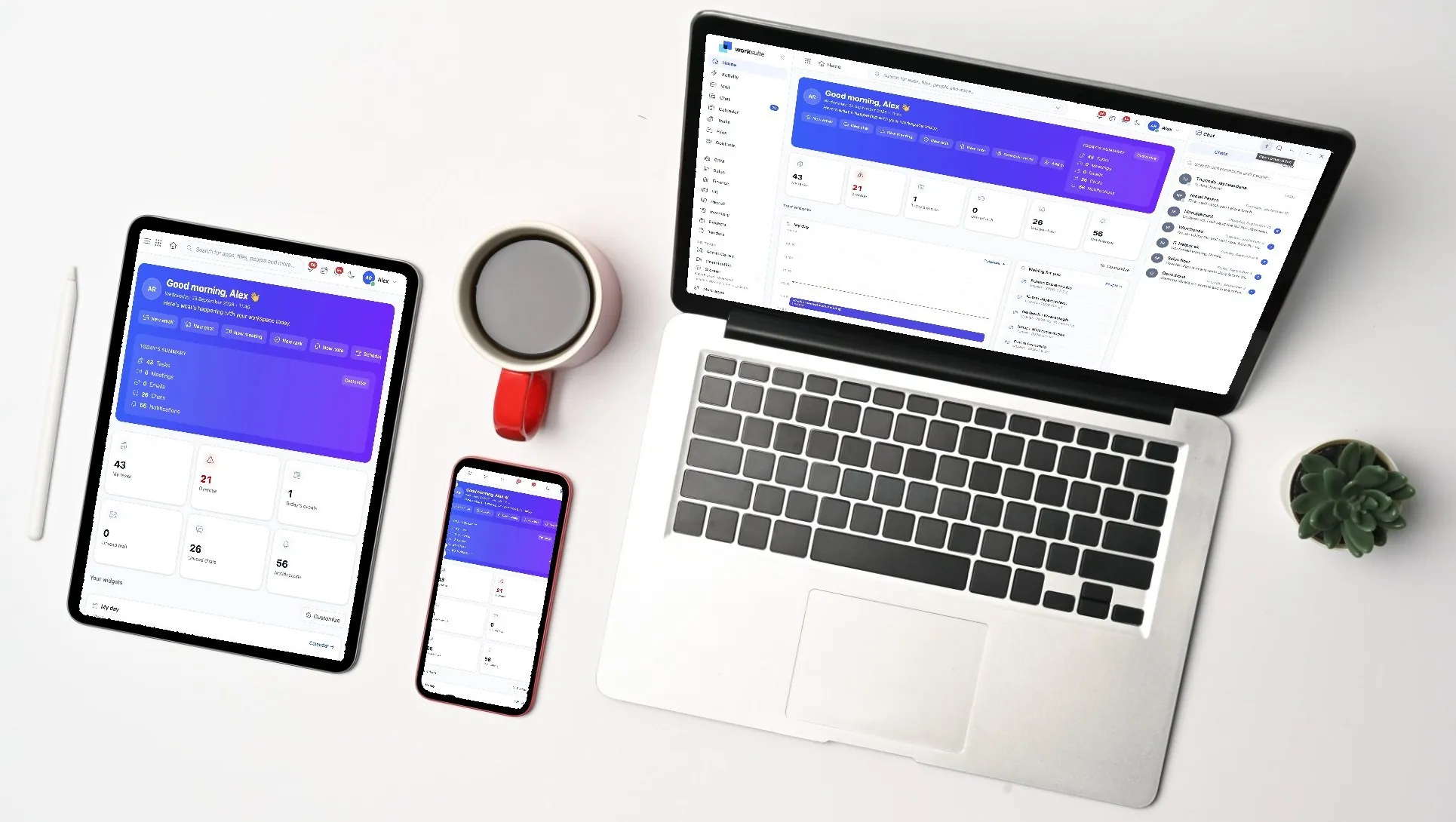
WorkSuite running on a laptop, a tablet and a phone

Which of these do you actually need?

Tell us how the business runs and we will say which apps to switch on first — and which to leave until later.