Skip to content
worksuiteWorkSuite

Category 01 · 6 apps

Sales

From the first enquiry to a confirmed order — at the desk, at the counter or on a plan.

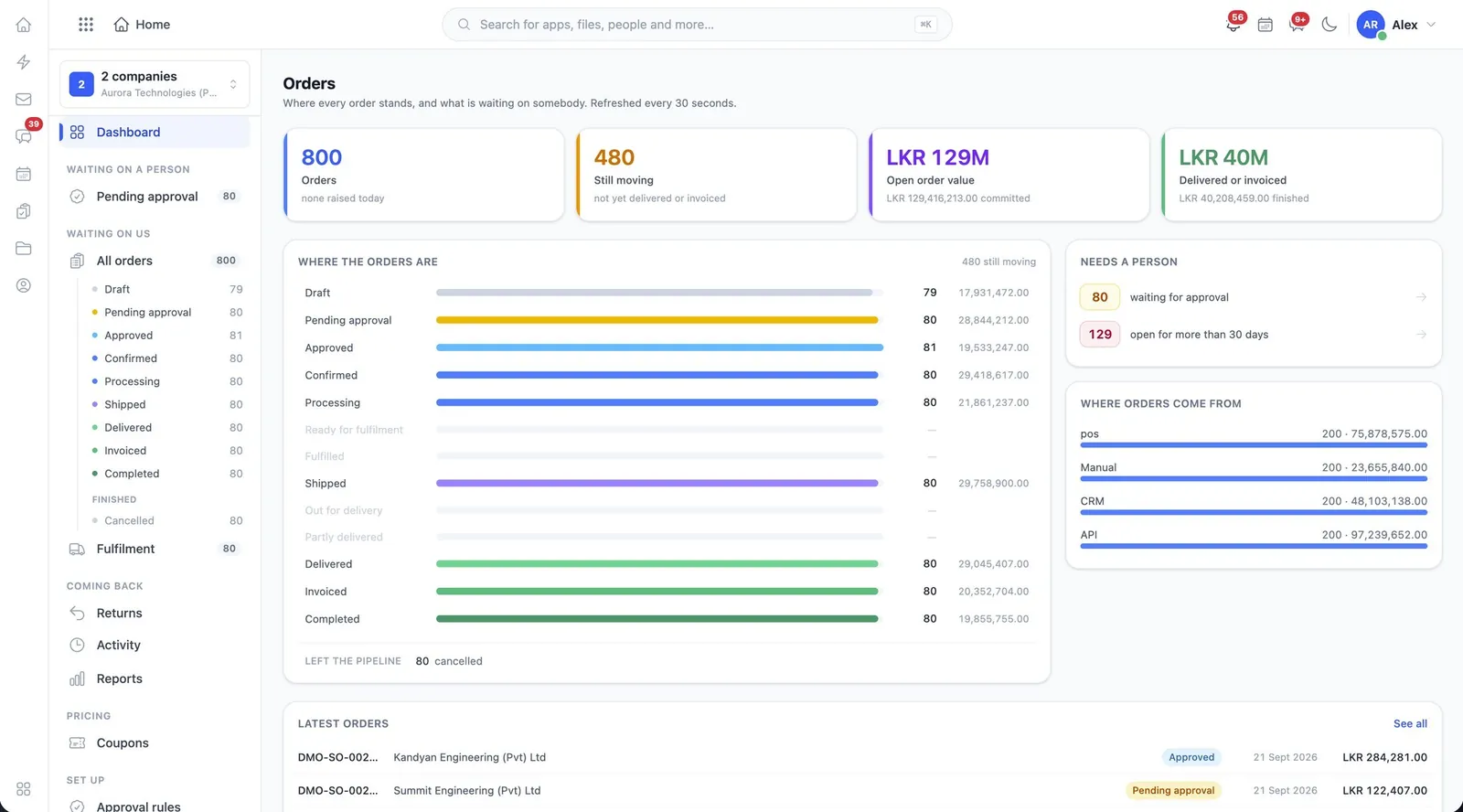
The WorkSuite Orders dashboard, showing every order stage with counts and values
Orders. Every stage from Draft to Completed with counts and value, what is waiting on a person, and where the orders came from — refreshed every 30 seconds.
01

CRM

Leads, accounts, deals and quotes, with a price list behind them.

crm
  • Create and work leads through to won or lost
  • Accounts and the contacts inside them
  • Deals on a pipeline you move by stage
  • Quotes created and issued from the deal
  • Settings and the price list under their own permission
02

Orders

Order management across every channel you sell on — the largest module in the suite.

oms
  • Create, edit, approve, confirm and cancel orders
  • Reserve and release stock as orders are confirmed
  • Fulfilment, shipment, delivery and returns
  • Sales channels: connect, test, sync and read the logs
  • Raise invoices and purchase requests from an order
  • Coupons, approval rules and order reports
  • Send an order by email, WhatsApp, chat, print or PDF
03

Point of Sale

A counter application with its own tills, registers and cash drawers.

pos
  • POS Express for fast over-the-counter selling
  • Terminals managed and viewed separately
  • Registers and drawers a cashier is accountable for
  • Sales land in Orders and Inventory like any other
04

Subscriptions

Customers on a plan rather than a one-off sale.

customer_subscription
  • Subscription plans and what they cost
  • Customer subscriptions, viewed and managed
  • Payment reviews decided by someone accountable
05

Contacts

The people behind the companies you deal with.

contacts
  • Contacts shared with your organization
  • Add and change them where you are allowed
  • Move them between organizations
06

Tenders

Bidding work: the pipeline, the documents and who approved the submission.

tender
  • Tenders created, moved through stages and submitted
  • Approval steps where a named person approves or rejects
  • Attachments seen, added, renamed, replaced or removed
  • Scoring rules, import sources and a document library
  • Pipeline and reports
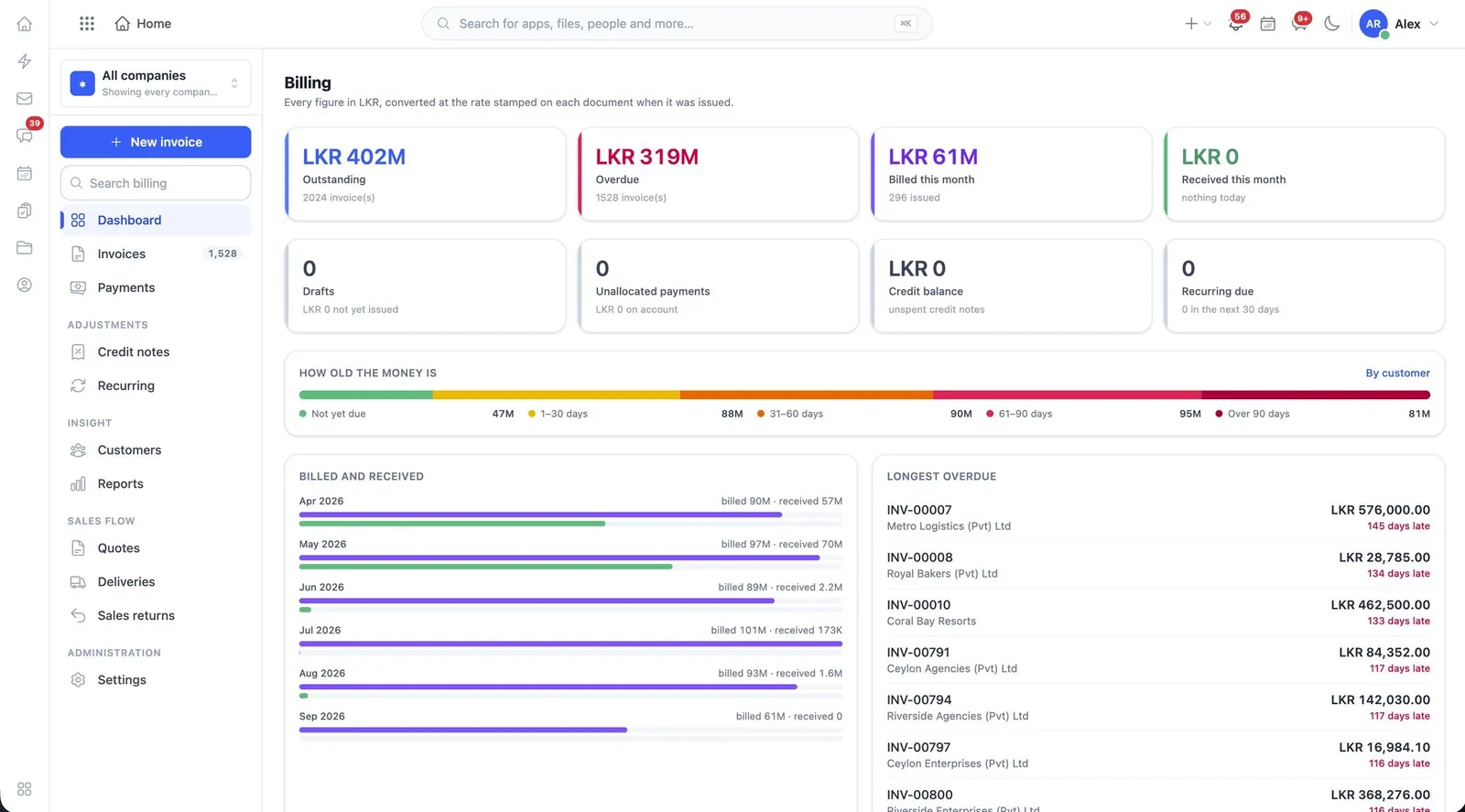
The WorkSuite Billing dashboard, showing outstanding invoices by age
Billing. Outstanding money aged from not-yet-due to over 90 days, what was billed against what was collected, and the longest overdue invoices ready to chase.

See sales running

The demo installation has representative data in every app, so you can follow a record from one end of the suite to the other.