Human ResourcesEmployees
The employment record, from onboarding to attendance — 26 permissions, the most finely divided module in the suite.
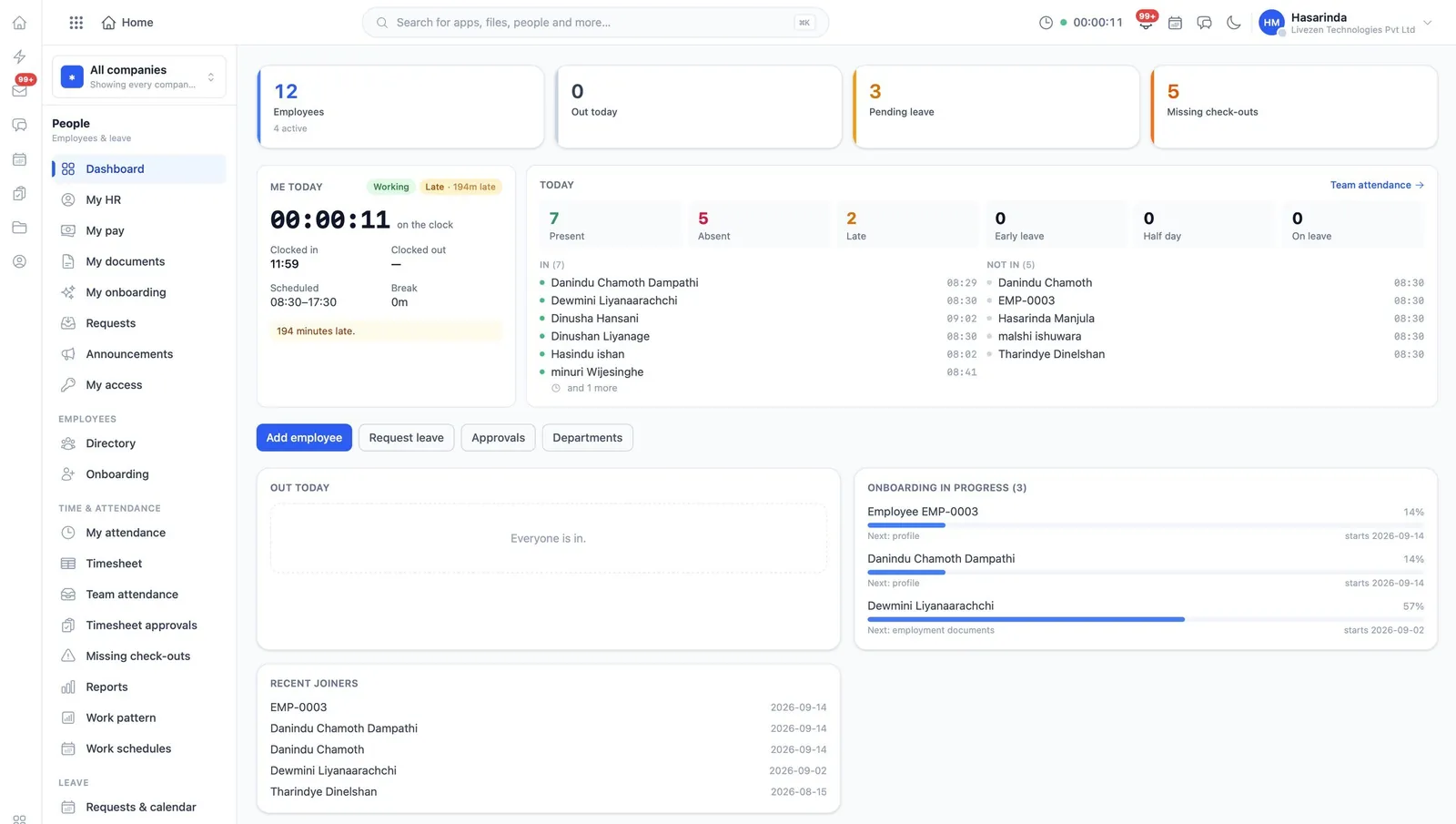
Employees holds the employment record end to end: the profile, the onboarding of a starter, attendance and timesheets, leave and its balances, and the requests and notes that accumulate around a person. It is the most finely divided module in the suite — twenty-six permissions — because almost nothing in it should be visible to everyone.
What it does
Employees, in the product’s own words
- Employee records and profiles, viewed and edited
- Onboarding run for a new starter
- Attendance corrected, timesheets approved, devices managed
- Leave requested, managed, and balances set
- Work schedules, patterns, weights and scores
- HR requests decided; notes read and written
- Announcements written, published, and made company-wide
Before you start
What has to be in place
- The organisation shape in Directory: units and profiles, so an employee has somewhere to belong.
- Work schedules and patterns, before attendance is switched on. Attendance measured against no schedule is just clock times.
- A decision, in writing, on who may read notes and who may read attendance. These are the two that cause trouble.
In the user guide
7 tasks, explained
- 01Keep employee records and profiles
- 02Onboard a starter
- 03Correct attendance and approve timesheets
- 04Manage leave and balances
- 05Set work schedules, patterns, weights and scores
- 06Decide HR requests, read and write notes
- 07Publish announcements
Worth knowing
- Because permissions here are unusually fine, the default of "give the HR role everything" undoes the module’s main advantage. Split it.
Works with
The same records, not a sync
PayrollSalaries calculated from rules, not typed in.DirectoryThe shape of the organization itself.ExpensesWhat staff spend, what it is charged to, and who agreed to it.AssetsWhat the company owns, who has it, and what it is now worth.Notes & SocialShort-form writing, and what the company is telling itself.