SalesOrders
Order management across every channel you sell on — the largest module in the suite.
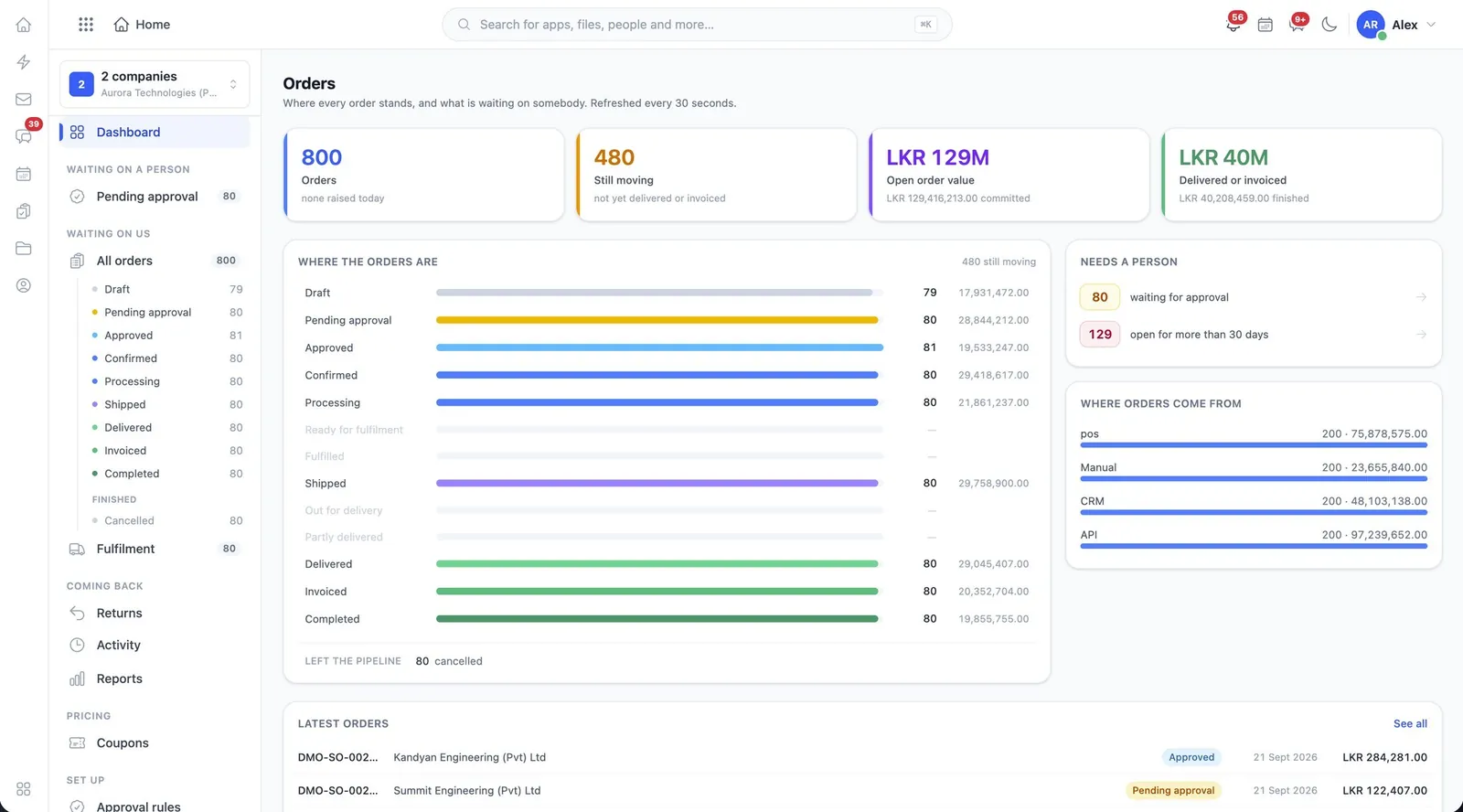
Orders is the largest module in the suite, and the one most other modules touch. An order is where a sale becomes a commitment: stock is reserved against it, invoices and purchase requests are raised from it, and its fulfilment is what the customer actually experiences.
What it does
Orders, in the product’s own words
- Create, edit, approve, confirm and cancel orders
- Reserve and release stock as orders are confirmed
- Fulfilment, shipment, delivery and returns
- Sales channels: connect, test, sync and read the logs
- Raise invoices and purchase requests from an order
- Coupons, approval rules and order reports
- Send an order by email, WhatsApp, chat, print or PDF
Before you start
What has to be in place
- Products and warehouses in Inventory — an order cannot reserve stock that has no shelf to come off.
- Approval rules, if orders above a value should stop for a person rather than confirm themselves.
- Sales channels connected and tested, if you sell anywhere other than in front of you.
In the user guide
7 tasks, explained
- 01Create, approve, confirm and cancel an order
- 02Reserve and release stock
- 03Fulfil, ship, deliver and take returns
- 04Connect a sales channel
- 05Raise an invoice or a purchase request from the order
- 06Apply coupons and approval rules, and read the reports
- 07Send an order out
Worth knowing
- Stock reservation is the sharp edge of this module. If availability looks wrong, look for confirmed orders nobody cancelled before you look at Inventory.
Works with
The same records, not a sync
InventoryProducts, warehouses and what is actually on the shelf.InvoicingInvoices, payments and the money owed.Point of SaleA counter application with its own tills, registers and cash drawers.CRMLeads, accounts, deals and quotes, with a price list behind them.SharingOne set of rules for getting a record out of the system.
Industries that start with it
Switched on from day one
More in Sales
All of SalesCRMLeads, accounts, deals and quotes, with a price list behind them.Point of SaleA counter application with its own tills, registers and cash drawers.SubscriptionsCustomers on a plan rather than a one-off sale.ContactsThe people behind the companies you deal with.TendersBidding work: the pipeline, the documents and who approved the submission.