Communication · Meet
Meet
Video meetings built into the suite — and the meeting record behind them, with the agenda, the minutes and the actions somebody has to do.
Why it is different
The call ends. The meeting does not.
Most video tools hand you a recording and a chat log that disappears. Here the meeting is a record in the same database as the projects and the people: the agenda it ran to, the minutes somebody wrote, the actions that became tasks, and who actually turned up.
A meeting is a record, not just a call
Agenda, minutes, actions, attendance and the conversation survive the call — and the actions become tasks somebody owns.
The lobby is a real door
An unadmitted connection cannot publish or subscribe at all. Locking a meeting refuses new joins outright.
Times are held properly
Meetings are stored in UTC with the timezone they were booked in, so one meeting is the same instant for everybody reading it.
Rooms cannot be double-booked
A meeting room is a resource with its own availability, and two meetings cannot hold it at once.
About these screens. They are the new Meet interface, still in design — the behaviour each one shows is in the product today, the look is not yet. Screens of features that do not exist have been left out entirely.
01
Getting into a call
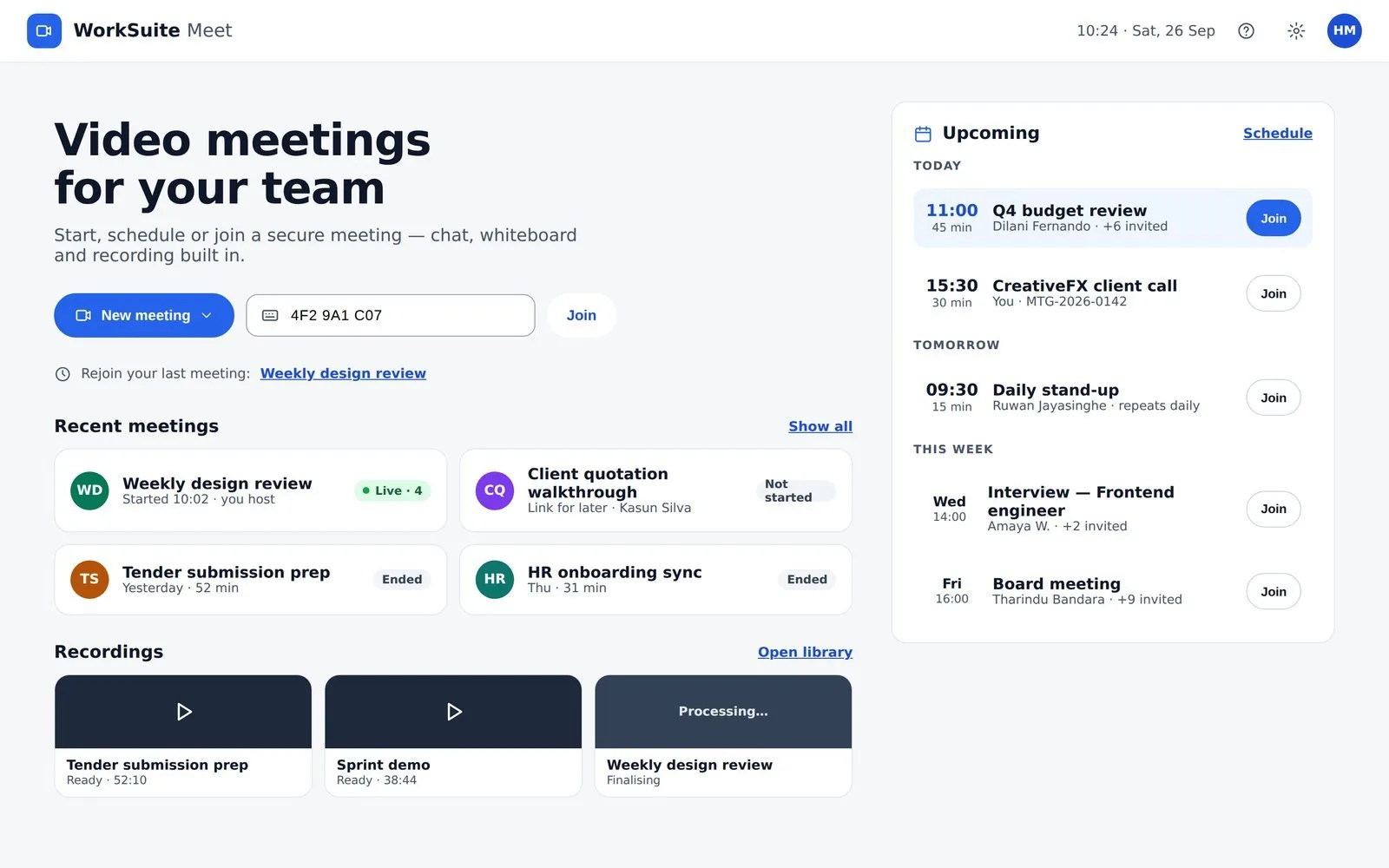
One screen to start, join or go back
Upcoming grouped Today / Tomorrow / This week, each with a Join. Recent meetings carry a live head-count, and a meeting stays listed for an hour after it was due to start.
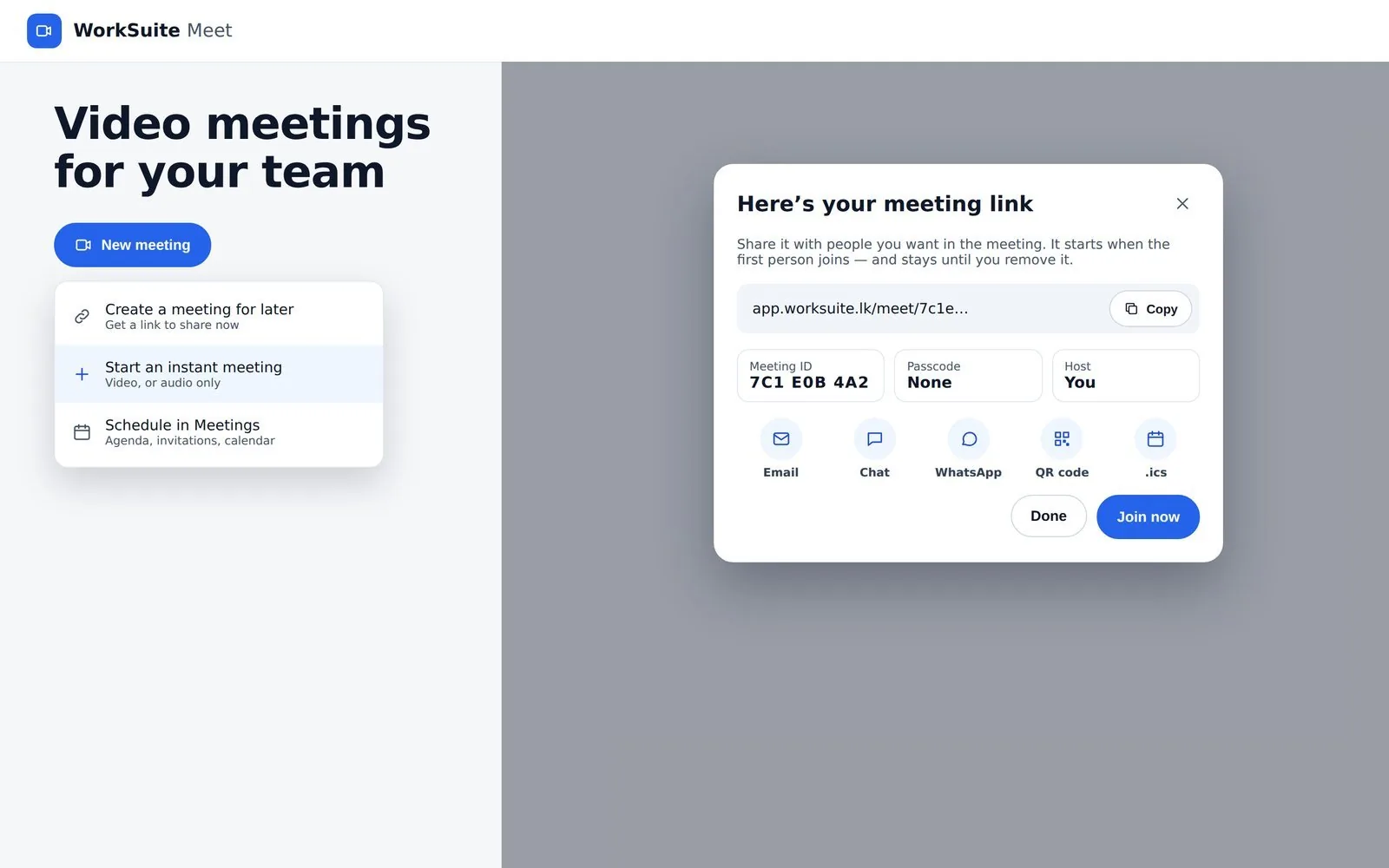
A link now, or a meeting for later
Start instantly, or create a link that starts nothing until somebody joins. The dialog gives the link, the ID, the passcode and a QR code, and shares by email, chat, WhatsApp or .ics.
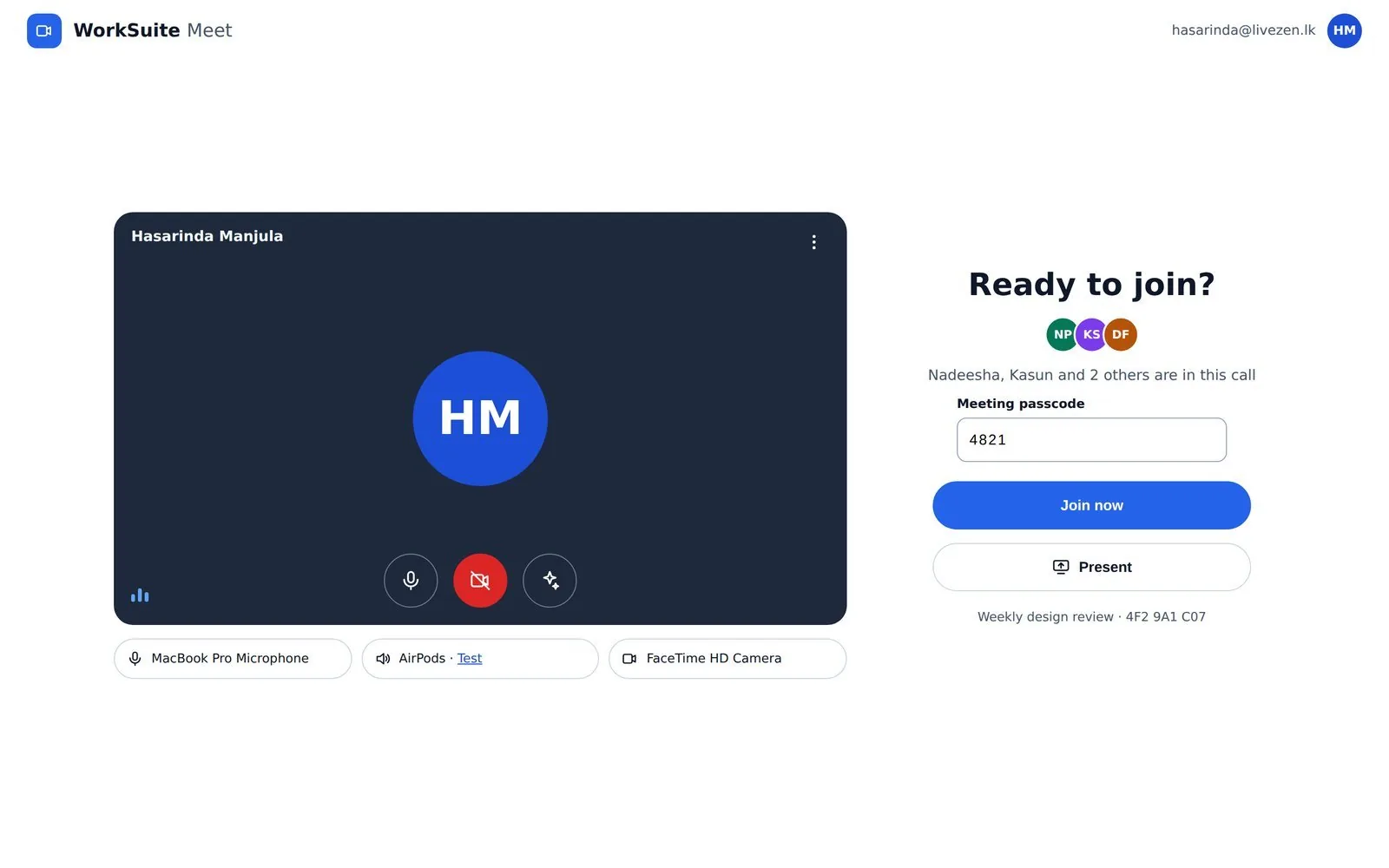
Check your microphone before anyone hears it
Camera, microphone and speaker — with a test tone — chosen before you join, and used by the call. It also shows who is already in there.
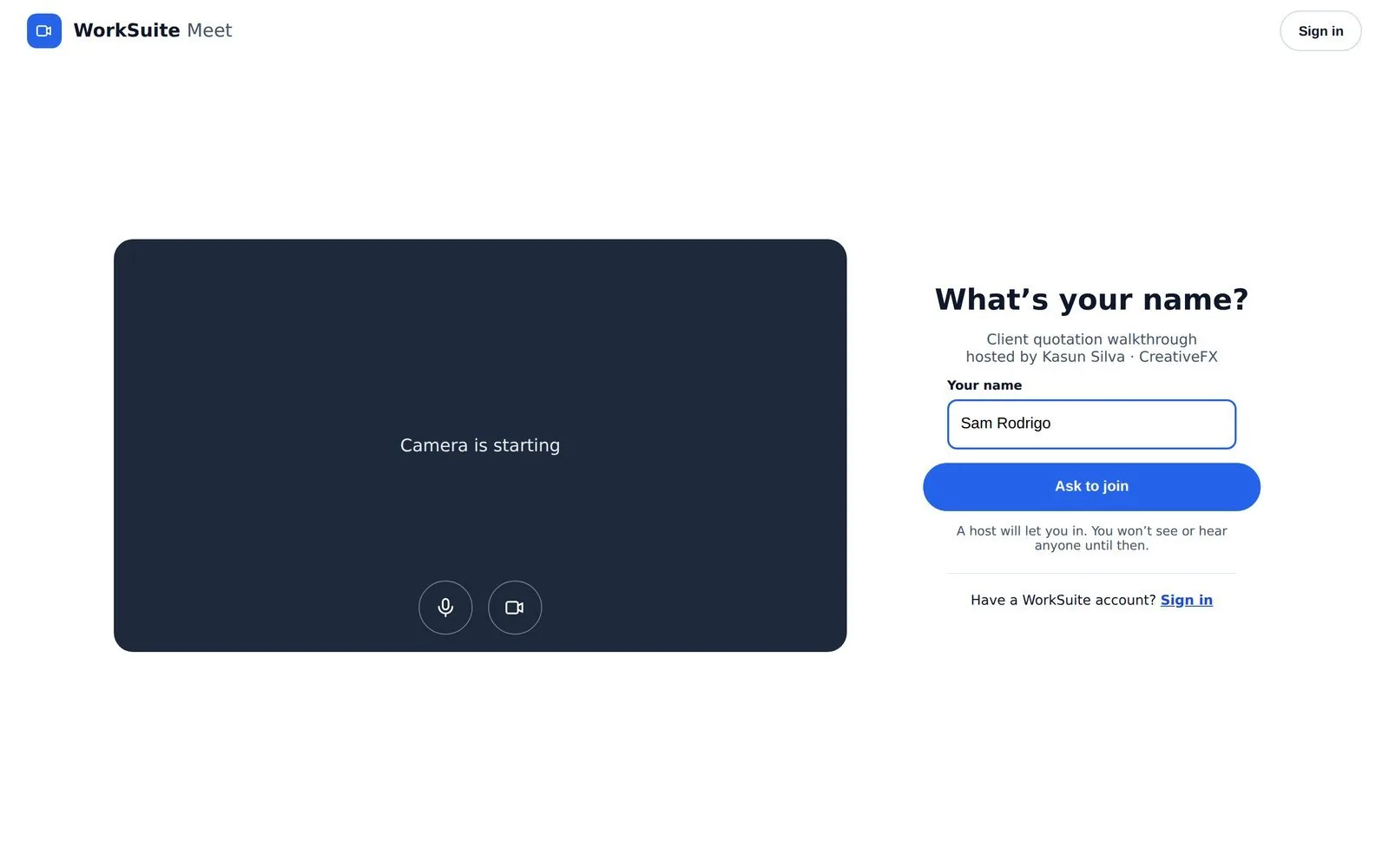
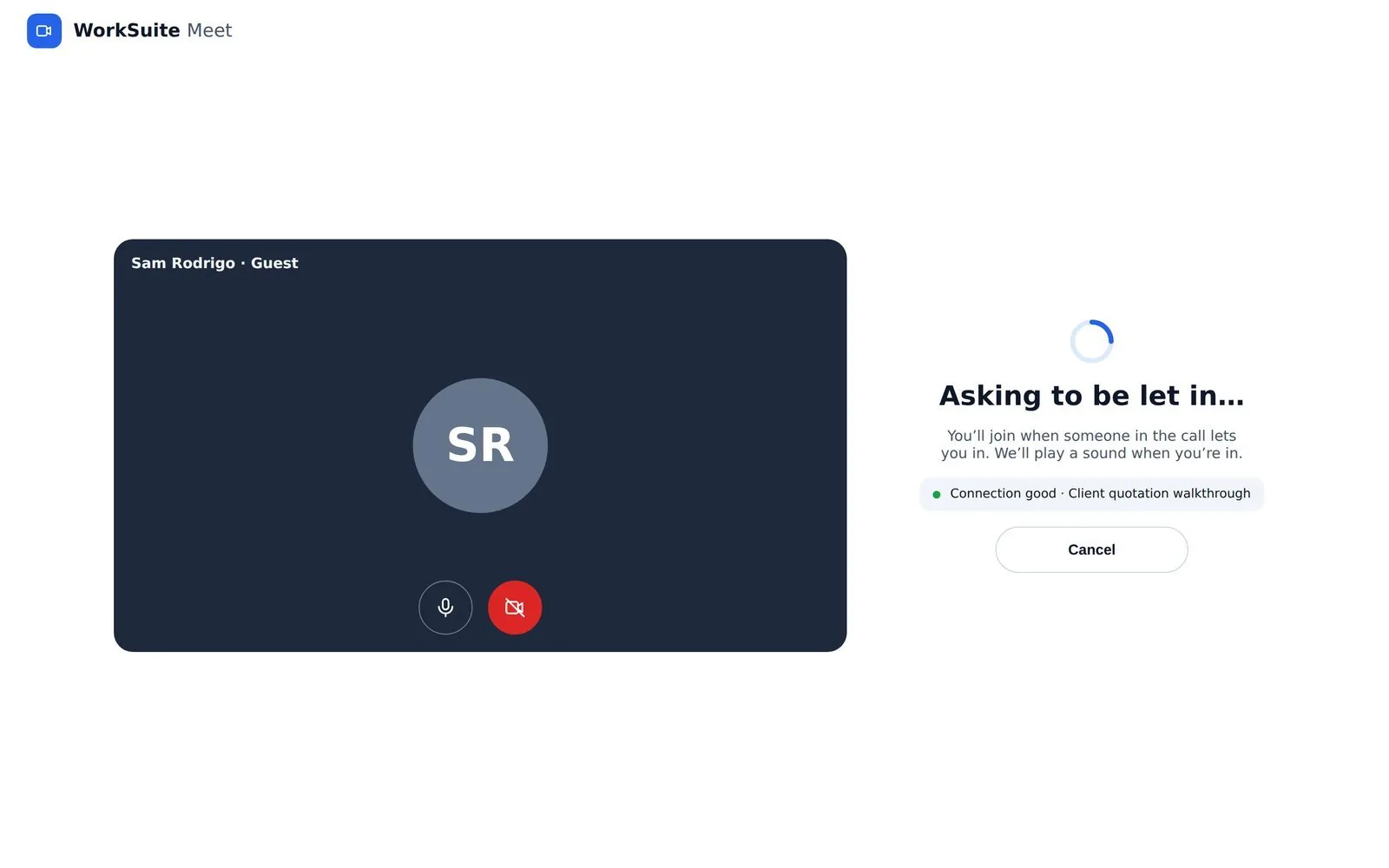
Guests join by link
A name and Ask to join, with a way in for people who do have an account. Guests are marked as joining by link, not signed in.
Nobody arrives unannounced
Until the host admits you, your connection can neither publish nor subscribe — you are not muted, you are not in the room. The host hears a doorbell and can admit or deny, one at a time or all at once.
02
In the call
In the call
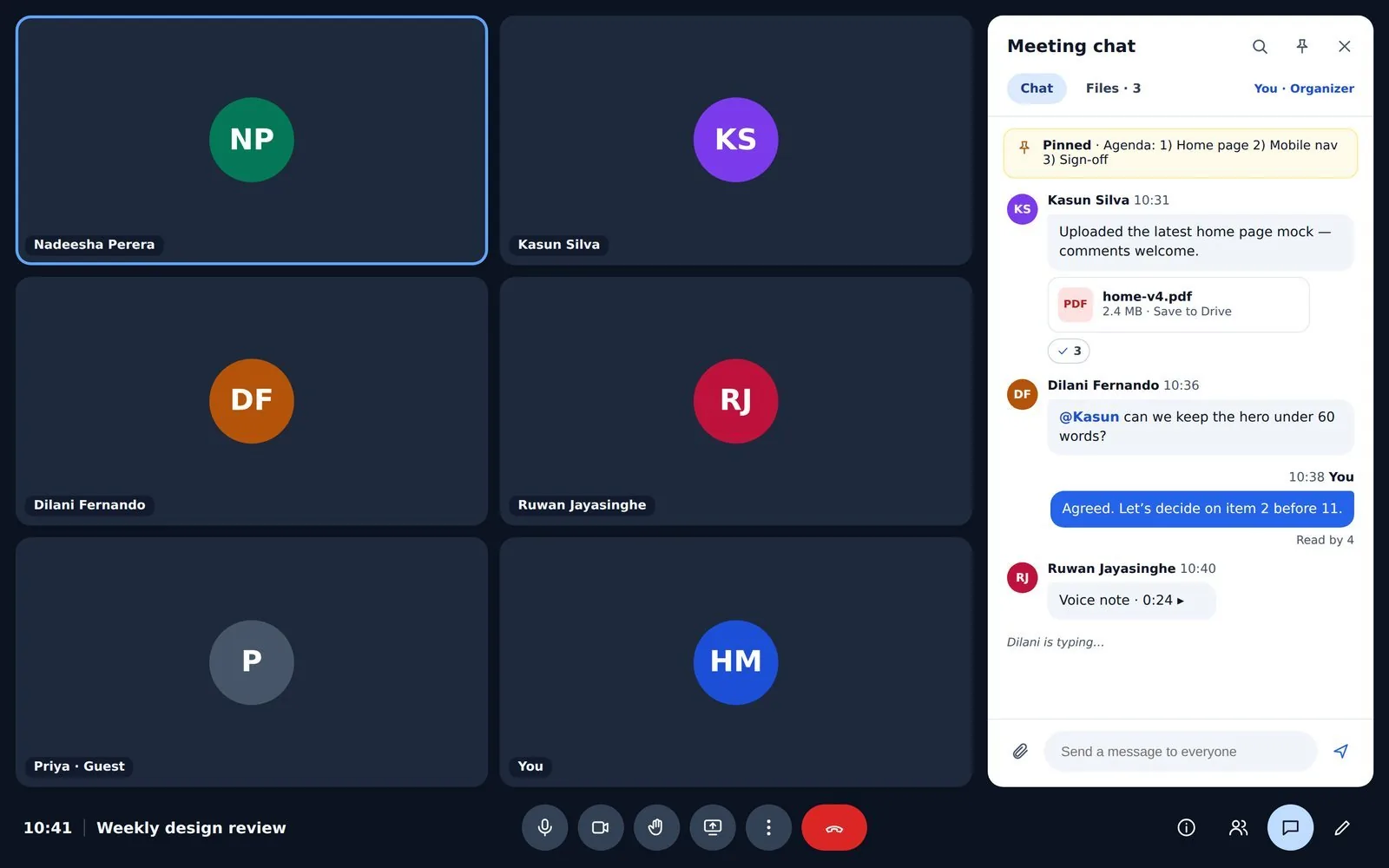
The chat is the meeting’s own conversation, so what is said and shared stays afterwards. Files posted in it can be saved straight to Drive.
The details, and how to pass them on
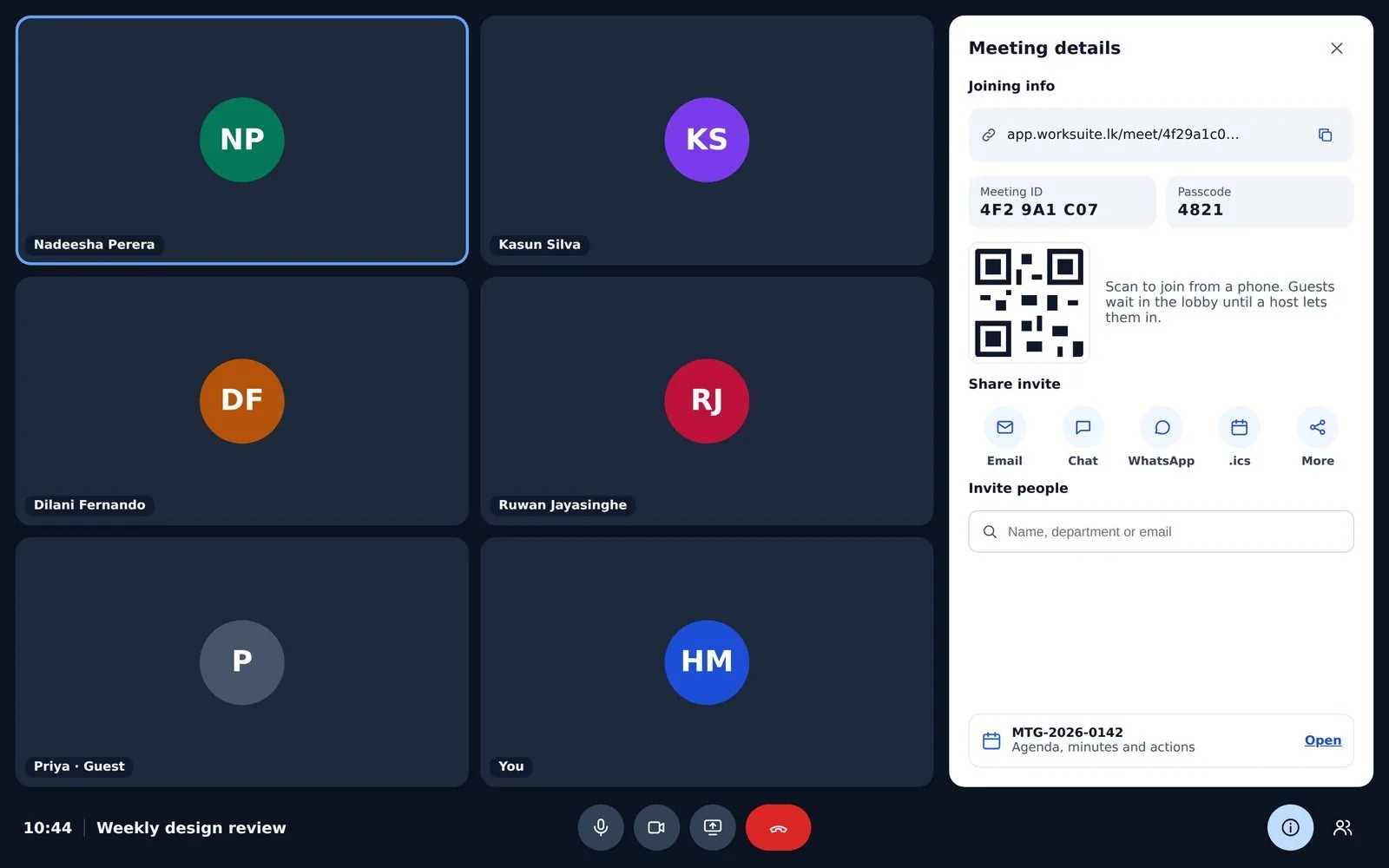
The link, the nine-character ID and the passcode, with the same sharing routes as the moment it was made.
And on a phone
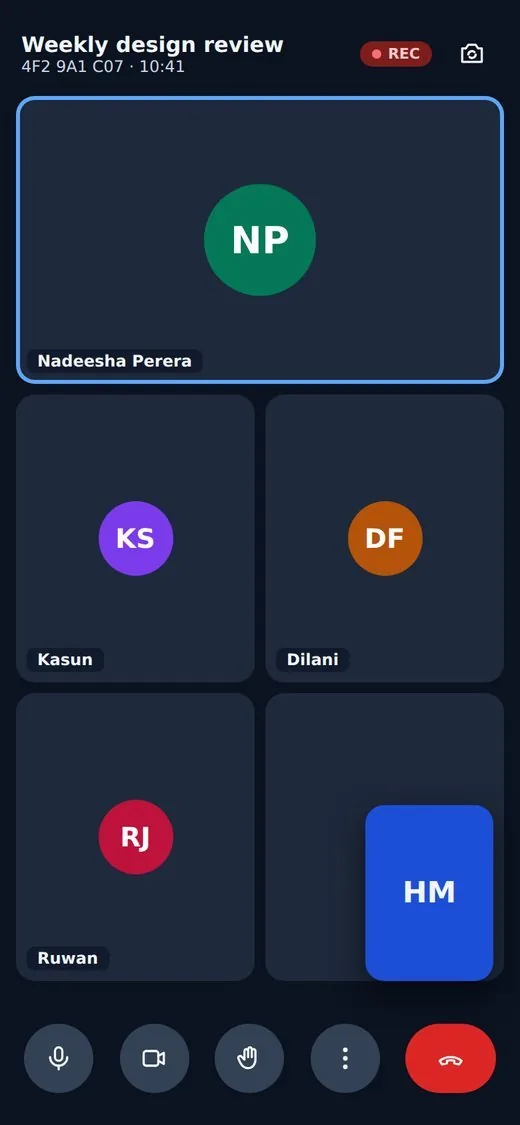
The same call, in a browser on a phone. Nothing to install.
03
The meeting as a record
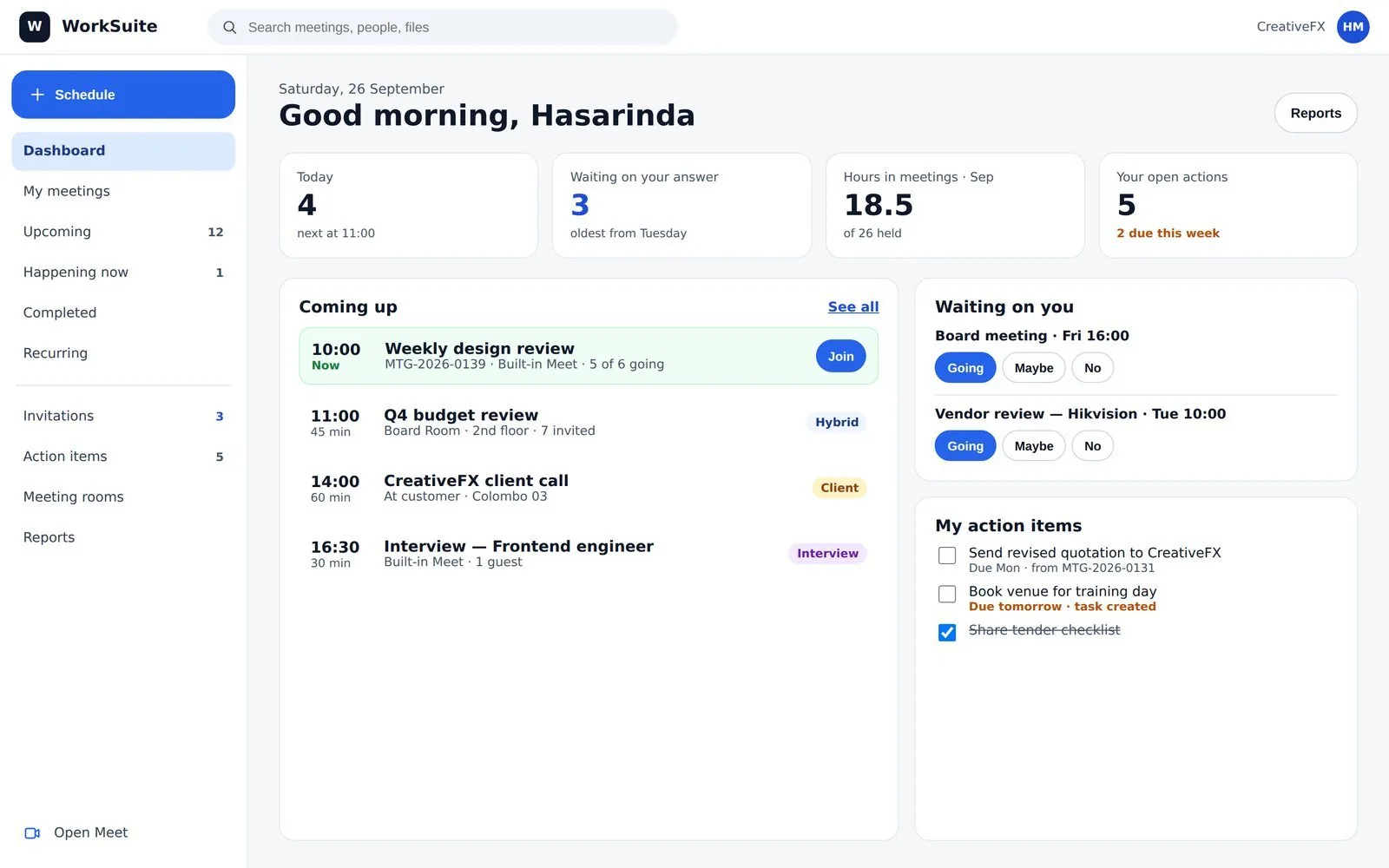
Meetings as business records
A meeting is not only a call. Every status on this screen is worked out from the clock rather than stored, so nothing sits saying "in progress" a day later.
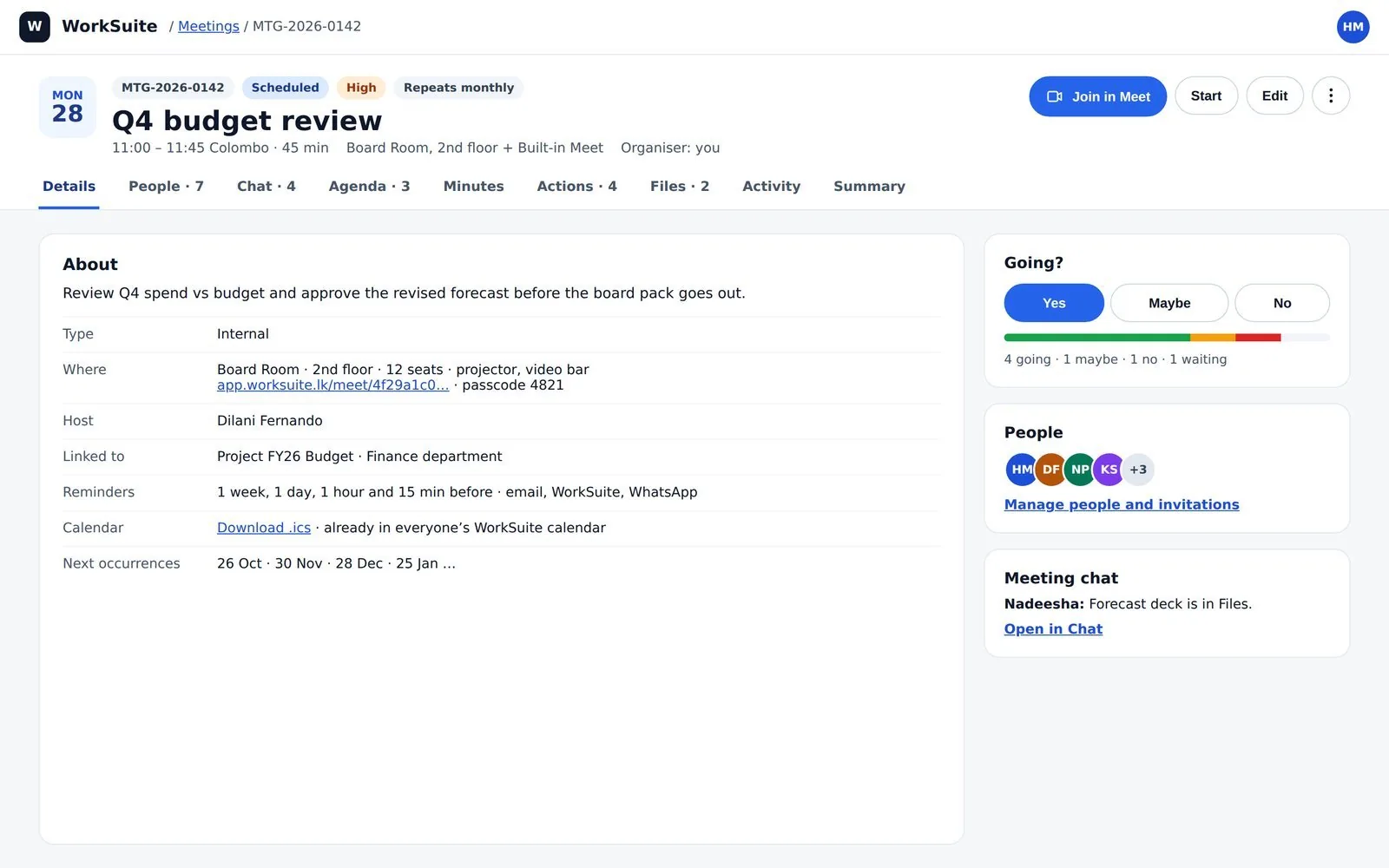
One meeting, in full
Organiser, type, location or room, the people invited and the agenda — the record the minutes and the actions hang off.
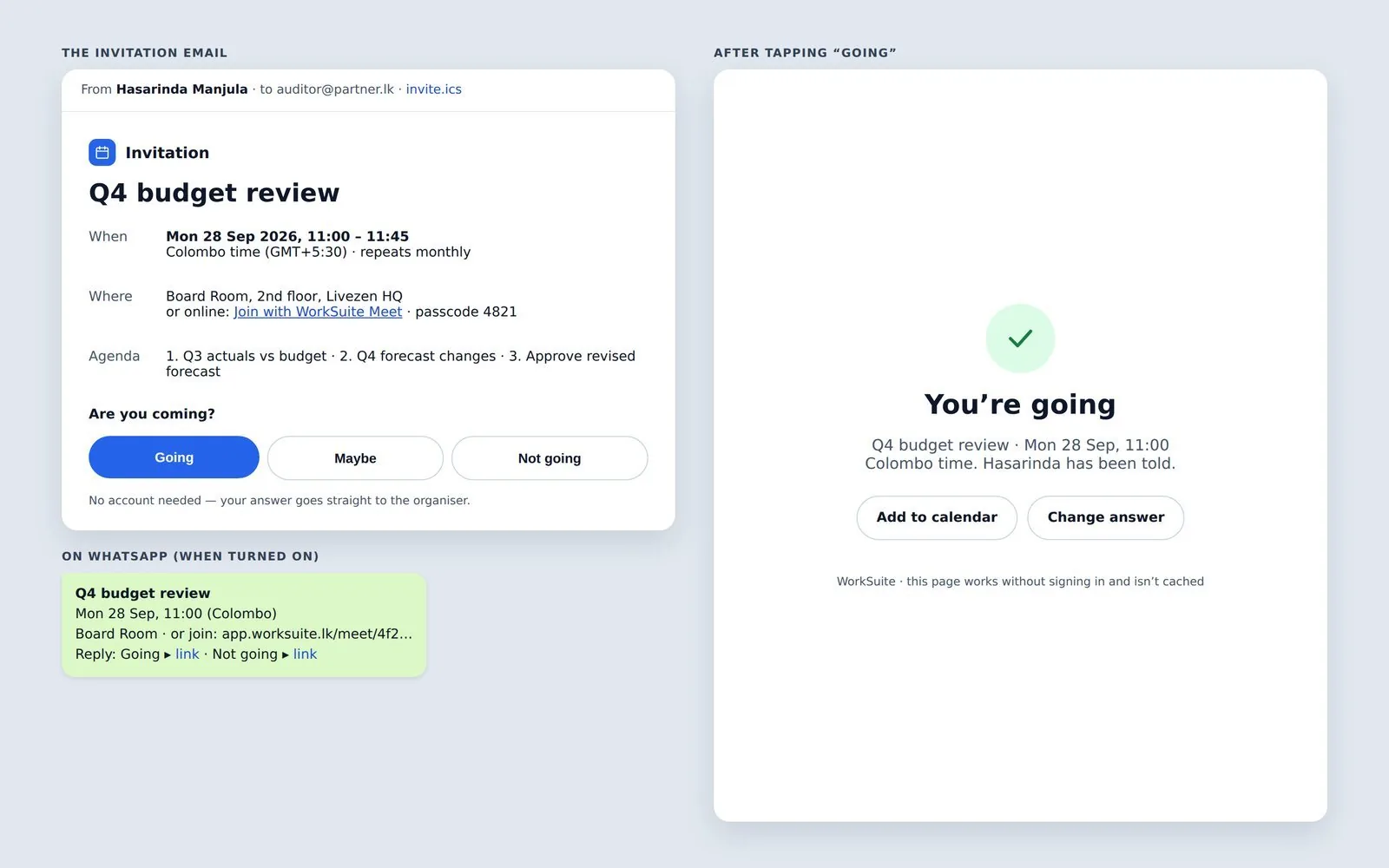
What the invitation looks like
Sent from the organiser’s own connected mailbox with an .ics attached, and an RSVP page behind it.
Worth knowing
What it does not do
Six things Meet has no answer for today. If any of them is how your meetings run, it is better to know now.
- No raising hands, reactions, captions or background effects in the call.
- The call is a grid — no spotlight, pinning or speaker layout.
- No co-hosts: host powers stay with the host.
- Recurrence is limited, and there is no calendar sync to Google, Outlook or Microsoft 365.
- No Zoom, Teams or BigBlueButton meetings — Meet is the built-in one.
- Recordings have no consent prompt or retention policy.
Sit in on a meeting
The demo installation has meetings with agendas, minutes and actions already on them, so you can see what is left behind after the call ends.